
Keep boxes and contents organized
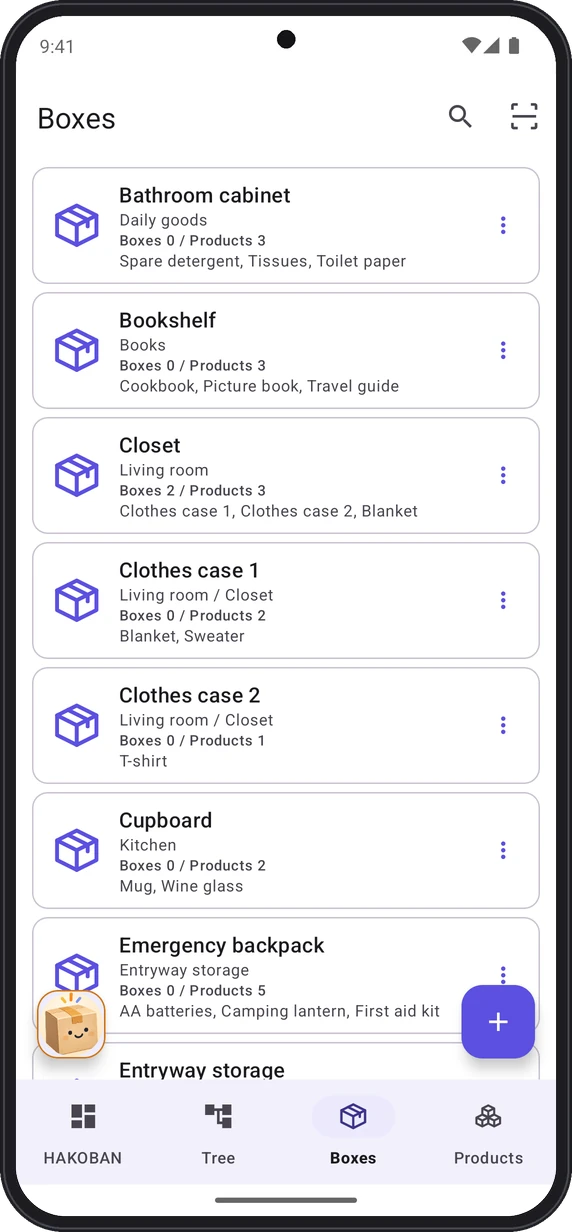
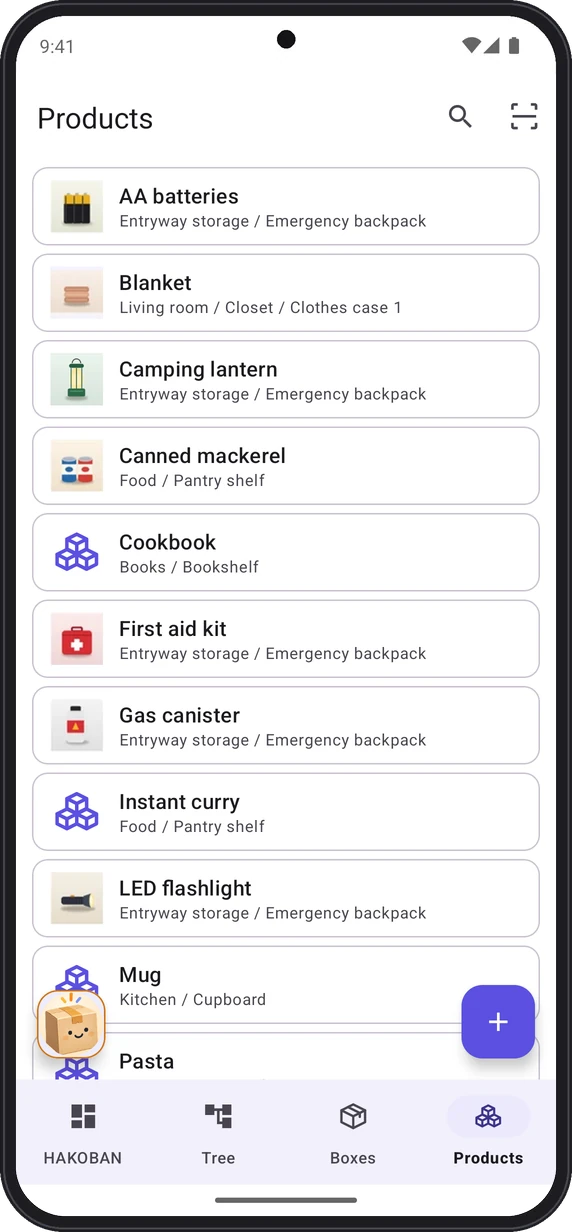
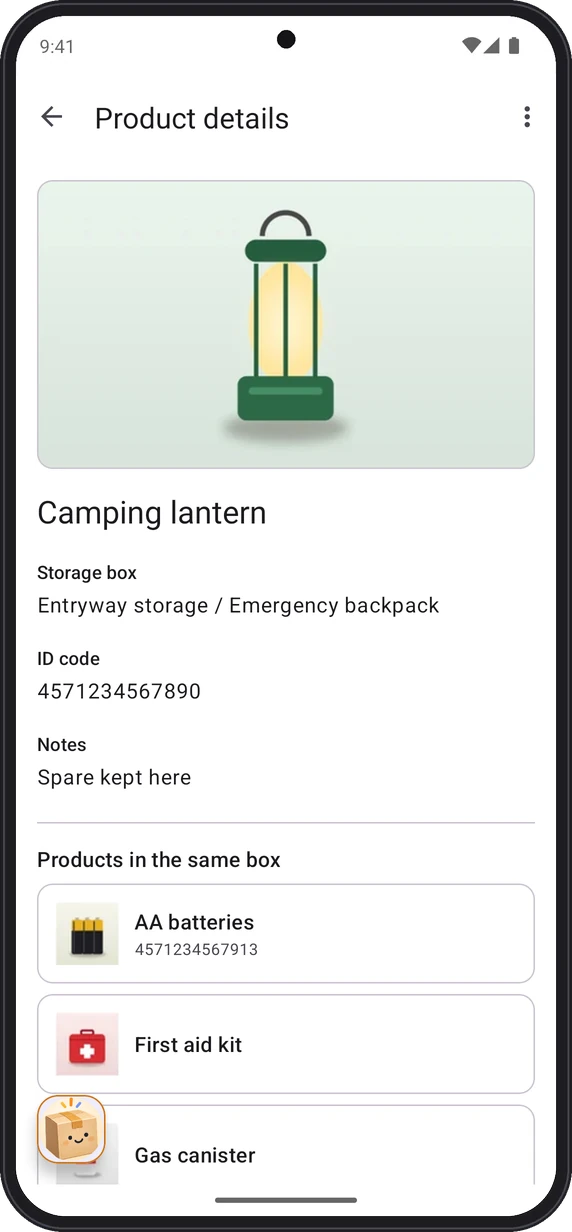
Register storage cases and cardboard boxes as "boxes" and the things inside them as "products". Organize them by category, such as Food, Daily goods, Tools, and Books.
Storage management app for Android
HAKOBAN.life lets you register the boxes in your home and what is inside them, with photos, and trace everything from where it is kept down to its contents in a tree. Just scan a barcode or hold up an NFC tag to find what you are looking for.
Free to use (offers in-app purchases)
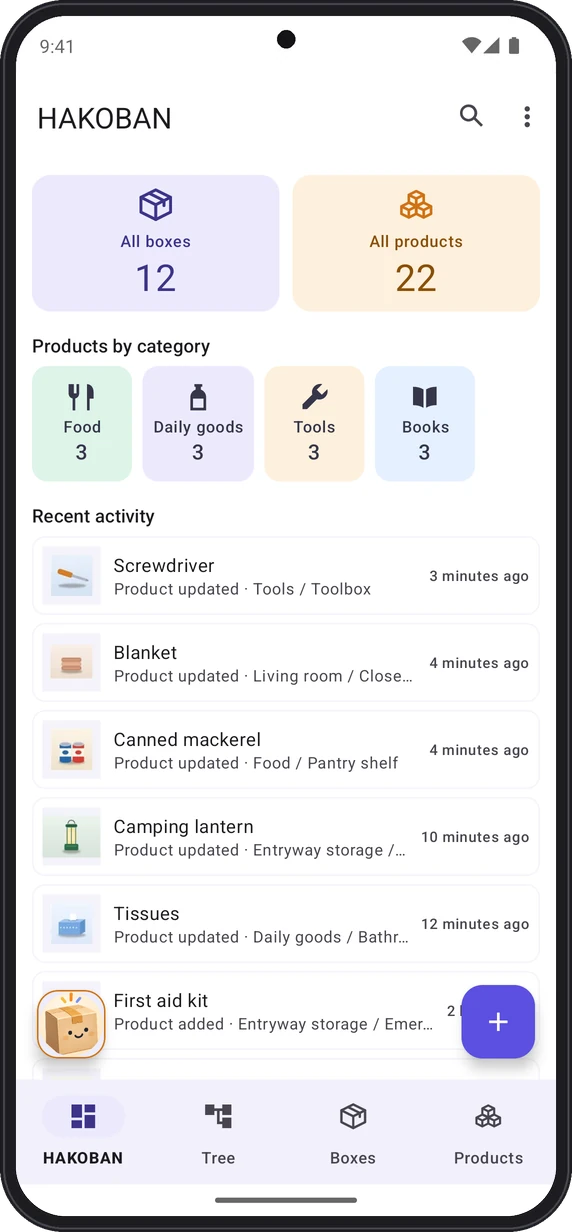
Register storage cases and cardboard boxes as "boxes" and the things inside them as "products". Organize them by category, such as Food, Daily goods, Tools, and Books.
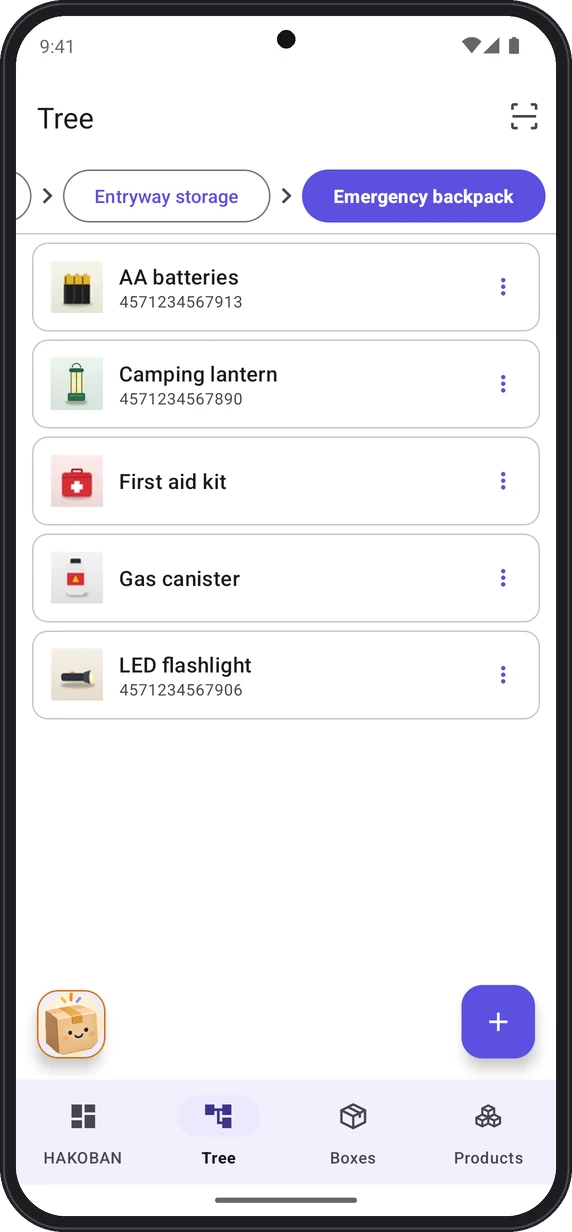
Register places as boxes too, nested like "Living room > Closet > Clothes case". Browse them just like folders on a computer.
Supports barcodes, QR codes, and NFC tags. Put a label or tag on a box and scan it to see what is inside. NFC even opens the app when it is not running.
Take photos of boxes and products when you register them. Thumbnails appear in lists and the tree, so you can find things by how they look even if you forget their names.
See the total number of boxes and products, product counts by category, and your recent activity at a glance, so you can look back on what you put where.
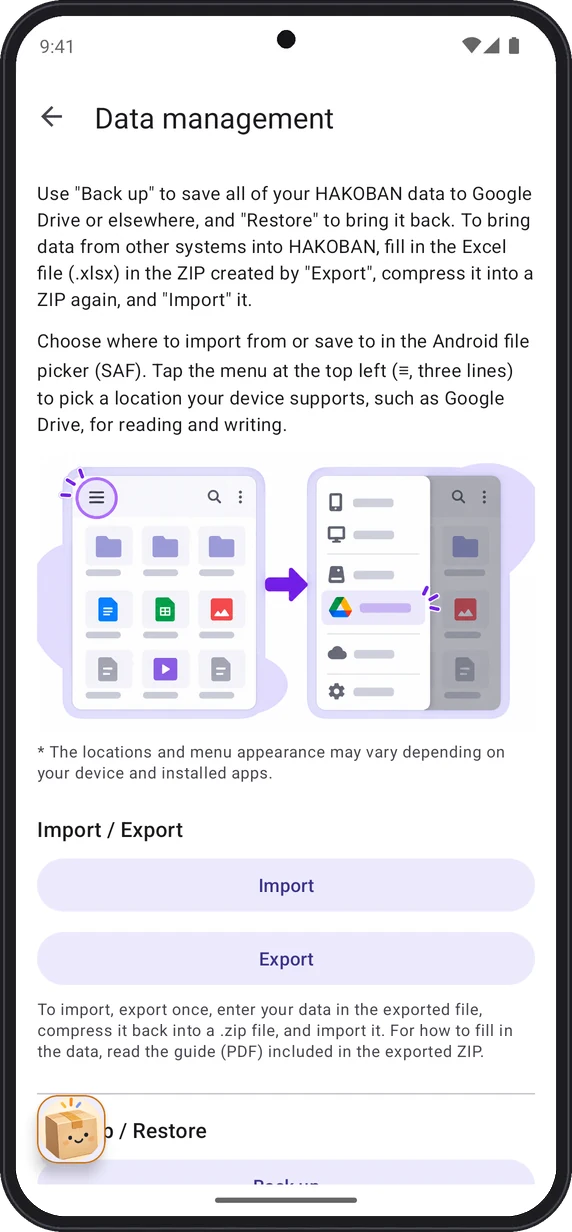
Back up all your data, photos included, and save it to Google Drive or elsewhere. Import and export in ZIP format, containing an Excel (.xlsx) file and photos, are also supported.
Four categories are ready from the start: Food, Daily goods, Tools, and Books. You can change their colors and icons or add your own.
Register places such as "Living room" or "Closet" as boxes too, and put storage cases inside them. You can add photos and codes to boxes.
Open a box and tap "+" to add products. Then check where you put things any time with lists, the tree, search, or code scanning.

HAKOBAN.life
Know where you put it, instantly
In HAKOBAN.life, places are registered as "boxes" too. For example, put a "Closet" box inside a "Living room" box, and a "Clothes case" inside that, so you can trace where everything is in a tree.
You can register items with just a photo. Turn on "Quick image-only registration" on the add screen for a box or product to hide the name and other fields, then simply take a photo to register it. Because there is no data, it will not appear in name or code searches. You can add them later on the edit screen.
No. You can use the app with name search, lists, and the tree alone. Putting barcode or QR code labels or NFC tags on your boxes lets you check their contents just by scanning them.
On the "Data management" screen, you can save all your data and photos to a single backup file. Save it to Google Drive or elsewhere, and restore it on your new device.
Import in ZIP format, containing an Excel (.xlsx) file and photos, is supported. When you export from the app, you get a ZIP with an Excel file that includes format notes and a guide (PDF) explaining how to fill it in. Enter your data in the Excel file, compress it into a ZIP, and import it.
There is no limit. However, large amounts of data can make lists harder to read and slow down the display, so we recommend around 1,000 boxes and products in total.
The app is free to use. The free version shows ads at the bottom of the screen. You can hide ads by purchasing Remove Ads as an in-app purchase.